PDFelement - Modifier, annoter, remplir et signer des documents PDF

Get from App Store
Get everything you need to create, convert, edit, and sign PDFs. Best of all, it's affordable.
It's never been easier to edit any Microsoft™ office files without compromising formatting and style.
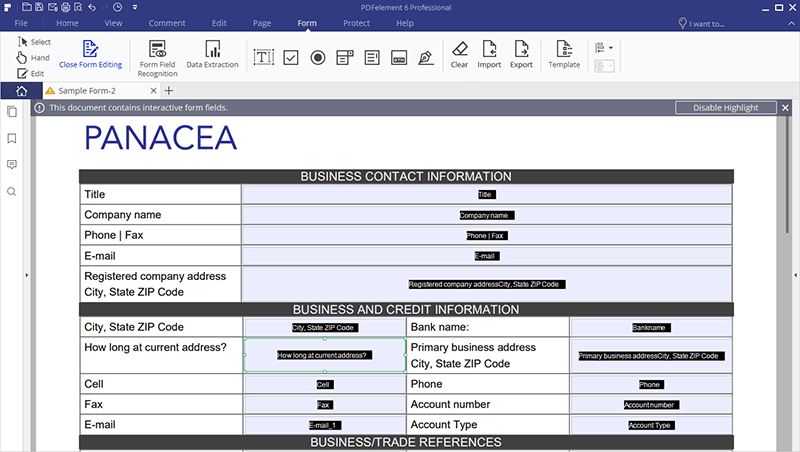
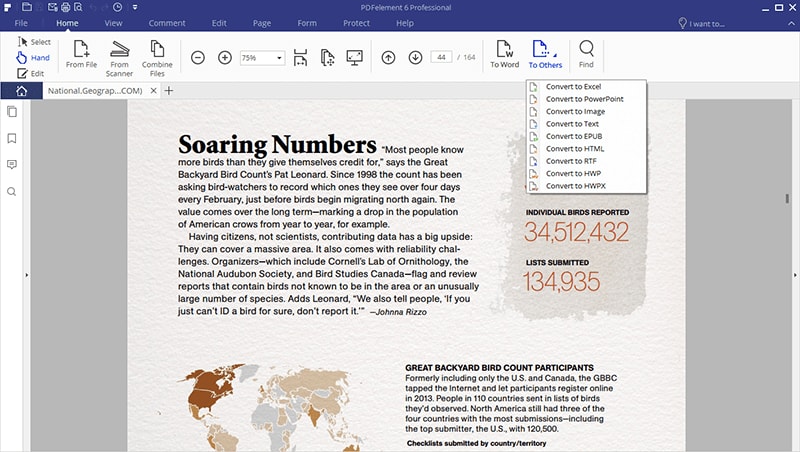
PDFelement 6 is here, with a re-designed interface and powerful features.
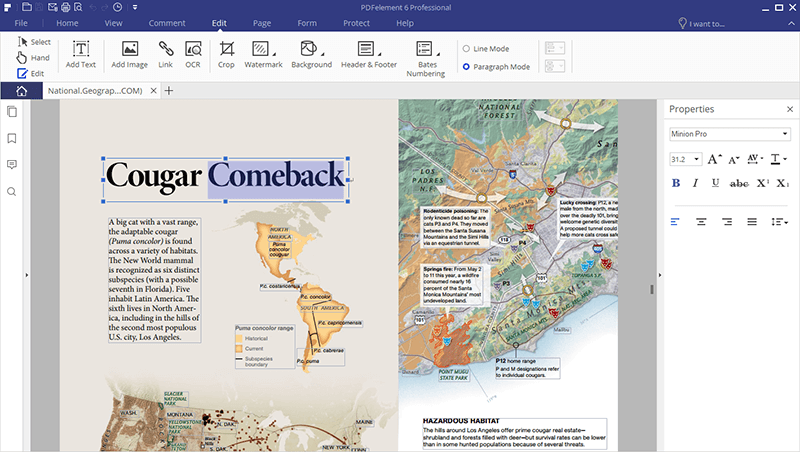
Take better control of your PDF documents by adjusting or changing the font type, size, and style. Edit graphic-based objects with ease, like rotating, mirroring, cropping, etc. New
Use a robust Optical Character Recognition feature to transform text from scans and photos to be editable and searchable.
Automatically reflow text when altering paragraphs in a single line or paragraph mode. Create searchable and selectable PDFs.

Fix typos and other small mistakes highlighted for you with automated spelling error detection.
| Compare Our Product Features |
Standard IncludesAll of these great features | Professional IncludesEverything in Standard, and |
|---|---|---|
 Create PDF Files Create PDF Files |
||
 Edit PDF Files Edit PDF Files |
||
 Convert PDF Files Convert PDF Files |
||
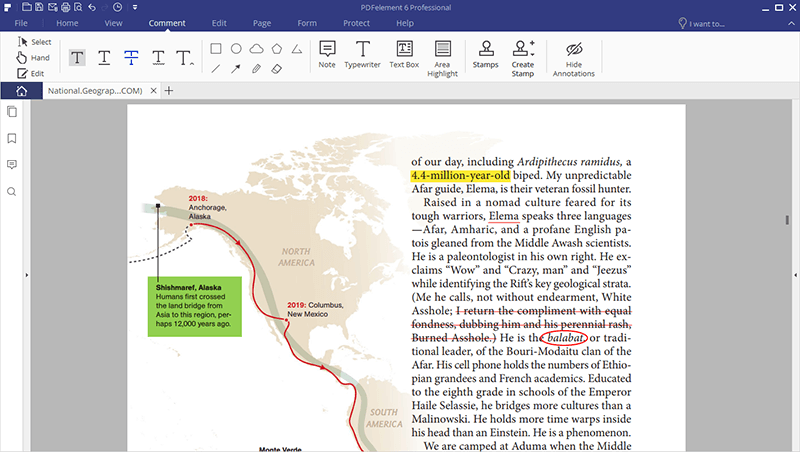
 Annotations and Comments Annotations and Comments |
||
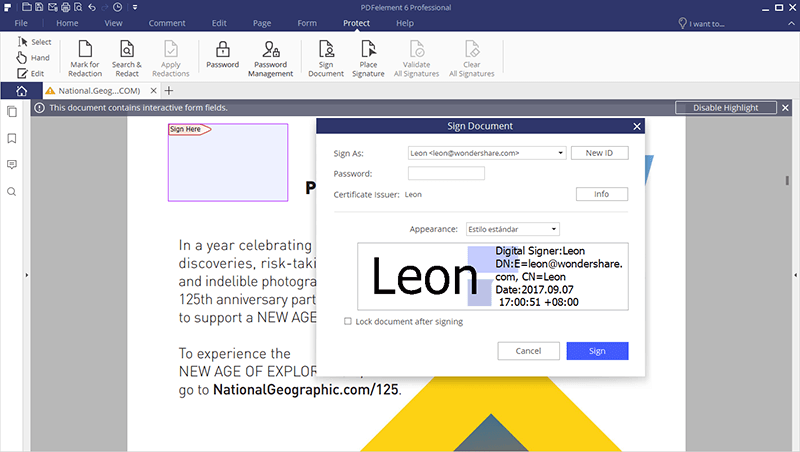
 Secure and Sign PDF Files Secure and Sign PDF Files |
||
 Add Watermarks, Backgrounds, Headers, and Footers Add Watermarks, Backgrounds, Headers, and Footers |
||
 Access to Hundreds of PDF Templates Access to Hundreds of PDF Templates |
||
 Optical Character Recognition (OCR) Optical Character Recognition (OCR) |
||
 Automatic Form Recognition Automatic Form Recognition |
||
 Form Data Extraction Form Data Extraction |
||
 Bates Numbering Bates Numbering |
||
 Redaction Redaction |
||
 Batch Process PDF Files Batch Process PDF Files |
||
 Extended Compatibility Support for File Formats Extended Compatibility Support for File Formats |
||
 File Size Optimization File Size Optimization |
||
| See the full features comparison >> |
Internet connection is required for version updates, activation of paid features and product license.



Learn, connect, and let our experts help you get the most from our products.

Get the most out of PDFelement with our helpful video tutorials.

Explore tips, tricks, and ideas to help you empower your documents.

Disponible sur Windows, Mac, iOS, et Android.
Essai Gratuit Essai Gratuit Essai Gratuit Acheter Maintenant